
Ransomware Report
You can check the latest ransomware information.
- title
- Pandora Ransomware
- Registration date
- 2026-04-08
- views
- 302
Pandora Ransomware Analysis (WhiteDefender)
1. Overview
Pandora ransomware runs on Windows systems, encrypts local files, and adds the .pandora extension. As the infection progresses, it creates a ransom note named Restore_My_Files.txt in all of the user's file data areas , and encrypts all file extensions to induce the user to immediately realize they are infected.
Ransomware Information Summary
| item | detail |
|---|---|
| Ransomware names | Pandora |
| Changed extension | .pandora |
| ransom note | Restore_My_Files.txt |
| Attacker contact information (based on notes) | contact@pandoraxyz.xyz |
Sample identifier
| item | detail |
|---|---|
| Size | 220.50 KiB |
| Type | PE32+ executable (console) x86-64, for MS Windows |
| MD5 | f25e25832dad770c5f989c986770f9e6 |
| SHA1 | 2565983f765b76a183de4b6ee793b4903e40c505 |
| SHA256 | 1f172321dfc7445019313cbed4d5f3718a6c0638f2f310918665754a9e117733 |
| SHA512 | ceb56a676e28ca413b1bbebb4039a9d4330a4eaf1a6985e5e61fc8cb3052823bedbd6cfbb24dce8f07cb1dafdc94a968847e43c74582dd3b3d26e7c8f8f7eab2 |
| CRC32 | 30cd2778 |
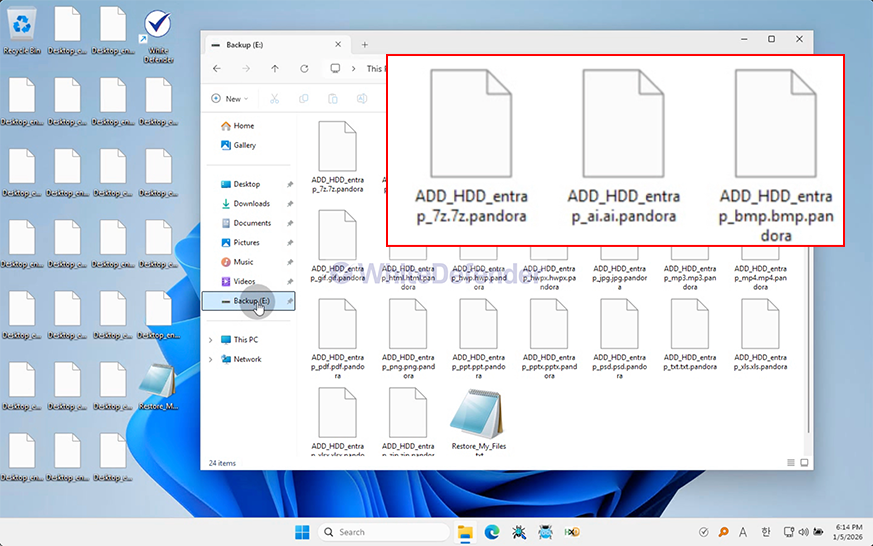
Figure 1. Desktop screen changed after Pandora infection
2. Characteristics of Ransomware Operation
Immediately after execution, Pandora ransomware scans the system's file system and performs encryption primarily targeting user data areas. The attacker induces payment by selectively encrypting only user data while maintaining the normal operation of the operating system.
During the file encryption process, repetitive file access (Open), reading (Read), writing (Write), and renaming (Rename) operations are performed on multiple files within a short period of time, and the .pandora extension is added to the encrypted files. This mass file modification pattern is used as a representative indicator of ransomware behavior.
In addition, a ransom note named Restore_My_Files.txt is generated simultaneously with the encryption process , immediately notifying the victim of the infection and demanding payment for decryption. Given that it is configured as a console-based executable (PE32+ x64), this sample possesses a structure capable of automatic execution without user intervention, which aligns with characteristics commonly observed in ransomware executed via scripts or attack tools after initial infiltration.
- Large volume of file I/O occurring in a short period of time (File Write Burst)
- Increase in Rename events accompanied by file extension changes
- Parallel execution of ransom note generation and encryption
- Optional encryption centered on the user data area
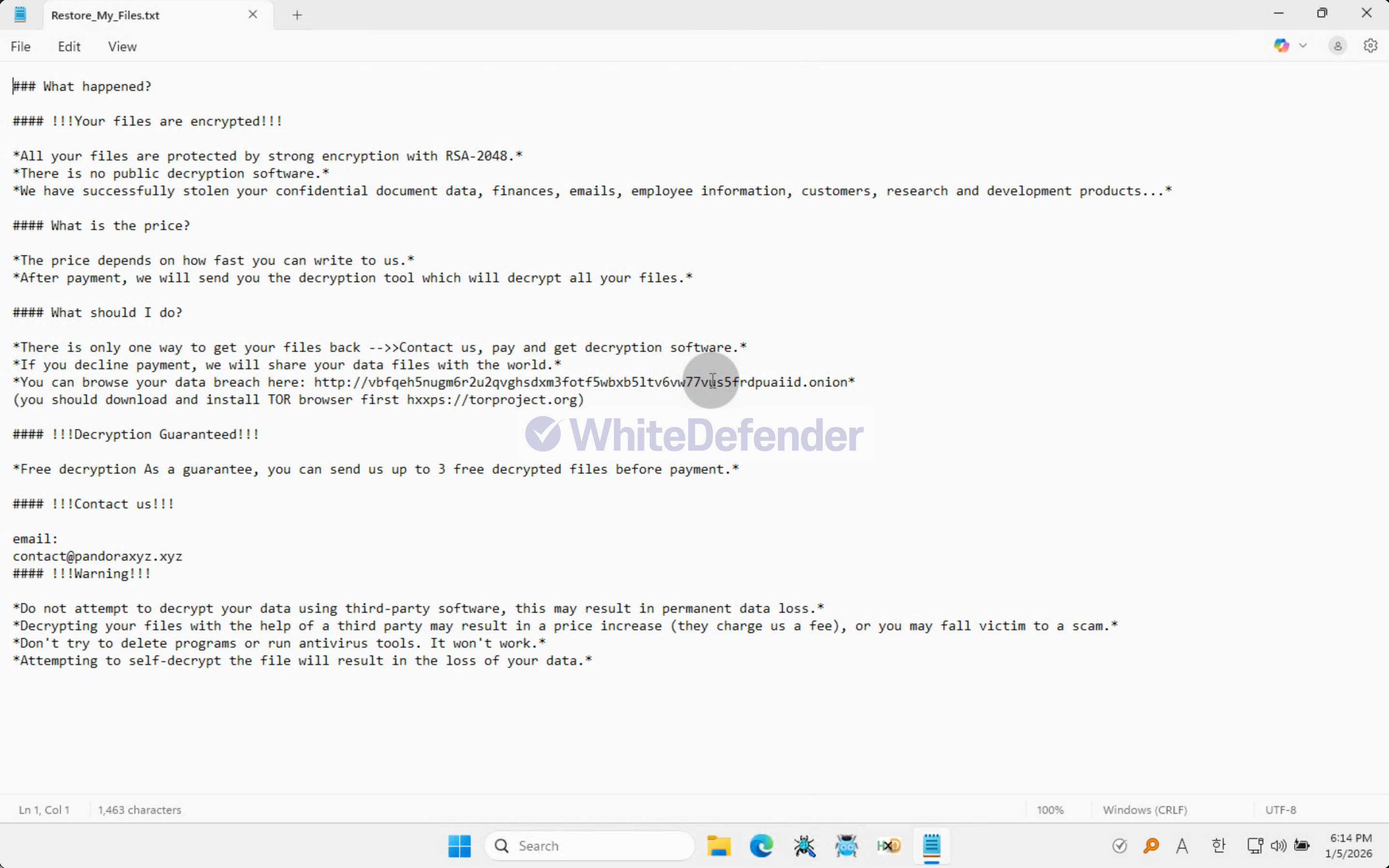
Figure 2. Screenshot of the Pandora ransomware note (Restore_My_Files.txt) contents
3. Ransomware Infection Results
When a ransomware infection occurs, encryption is performed, a ransom note is generated, and the extensions of each encrypted file are changed, rendering them unusable.
- Files, such as major documents and images, have been changed to the .pandora extension and have become unusable.
- Create Restore_My_Files.txt ransom note
- Maintain user data inaccessible state

Figure 3. Example of encrypted file extension change after Pandora ransomware infection
4. WhiteDefender Support
Based on WhiteDefender, file encryption behaviors such as Pandora ransomware are identified by Ransomware Behavior-Detect through a behavior-based detection engine. In particular, it can detect abnormal behavior early based on mass file change patterns that occur during the file encryption process, and can stop the encryption process by blocking the process at the execution stage ( Execution Block ).
In addition, Quarantine and Restore functions operate together for file change events to minimize data damage caused by ransomware.
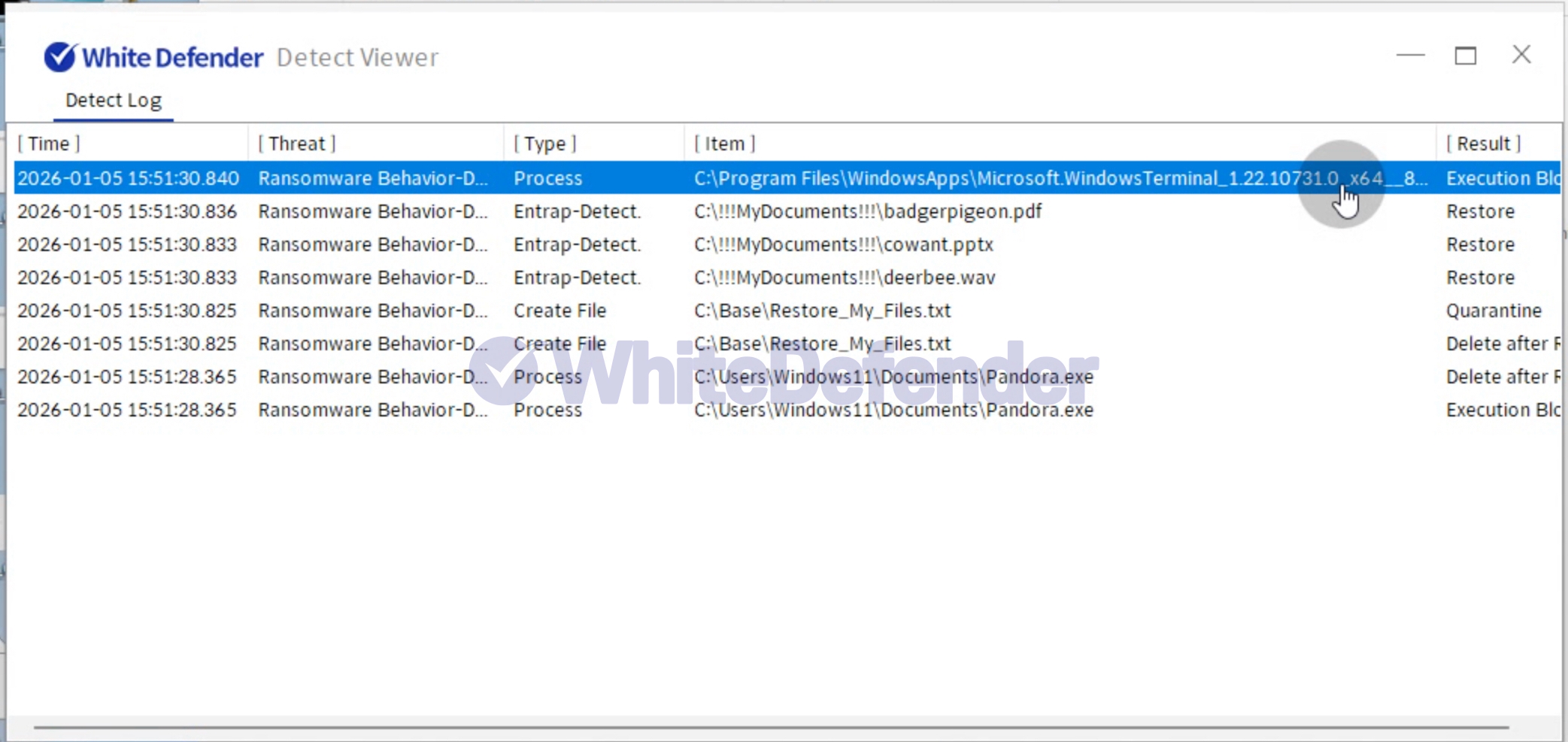
Figure 4. WhiteDefender Detect Viewer Detection Logs: Ransomware Behavior-Detect Detection and Execution Block / Quarantine / Restore Records
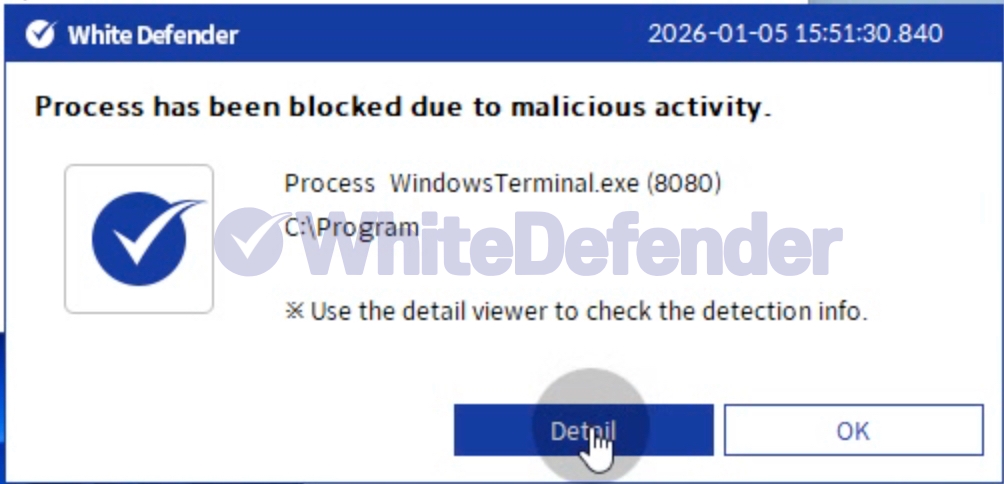
Figure 5. WhiteDefender Blocking Notification Popup: Process has been blocked due to malicious activity

- Previous post
- Vgod Ransomware
- next post
- AESRT Ransomware
