
Ransomware Report
You can check the latest ransomware information.
- title
- Slime Ransomware
- Registration date
- 2026-06-02
- views
- 167
Slime Ransomware Analysis (WhiteDefender)
1. Overview
Slime ransomware runs on Windows systems, encrypts important file data, and changes the file extension to .slime . As the infection progresses, it creates a read_it.txt ransom note in all of the user file data areas and encrypts all file extensions to induce the user to immediately realize they are infected.
Ransomware Information Summary
| item | detail |
|---|---|
| Ransomware names | Slime |
| Changed extension | .slime |
| ransom note | read_it.txt |
| Attacker contact information (based on notes) | zenhao007@gmail.com |
Sample identifier
| item | detail |
|---|---|
| Size | 23.50 KB |
| Type | PE32 executable (GUI) Intel 80386 Mono/.Net assembly, for MS Windows |
| MD5 | 018c91ecc0841c8617599f00fd207459 |
| SHA1 | 69955618671a7847d390c3b333ec865e5188e85b |
| SHA256 | 9410ed79ee646d717CqMQFeuB3NTzJ2X28tfRmWaPyPQgvoHVcc31dcdeb2ad9ef |
| SHA512 | 617CqMQFeuB3NTzJ2X28tfRmWaPyPQgvoHV0bbfa6bf7330717CqMQFeuB3NTzJ2X28tfRmWaPyPQgvoHV6f7fd11d0cb5de6c777212fbabec6af1e0e617dfda5fad |
| CRC32 | 78710a4e |
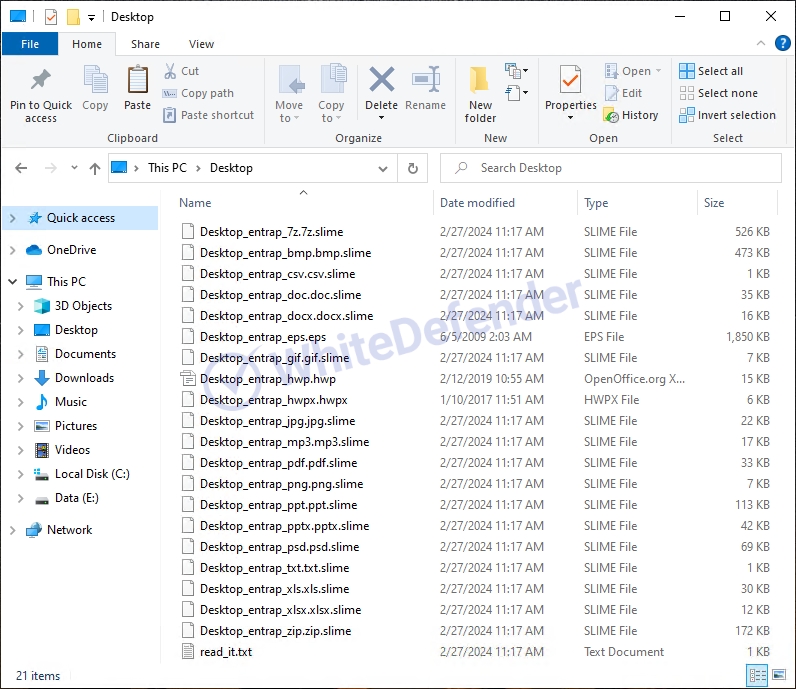
Figure 1. Files encrypted after Slime infection
2. Characteristics of Ransomware Operation
Slime ransomware is a Chaos-family ransomware developed based on C# .NET . Upon execution, it copies its files to the %AppData% path and re-executes from that location, and creates a shortcut at the %AppData%\Microsoft\Windows\Start Menu\Programs\Startup path to ensure persistence so that it can run automatically even after a system reboot.
Subsequently, file encryption is performed, and recovery obstruction features included in the Chaos family , such as deleting shadow copies, disabling Windows recovery functions, and deleting backup catalogs, are confirmed to be disabled in this sample. The encryption targets include all drives except the C drive where the system is installed, as well as the Libraries folder of the user account, and encryption is performed on the files within those paths.
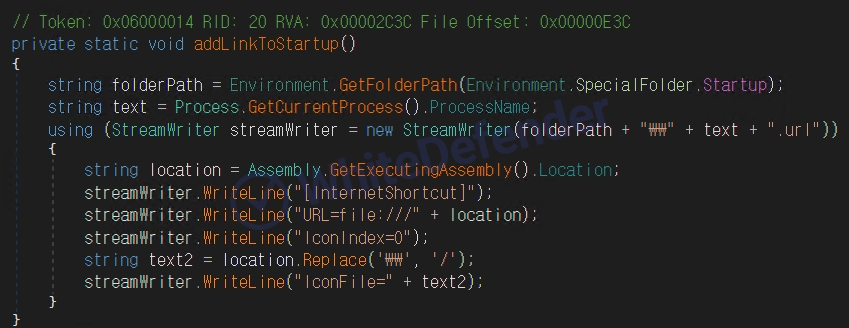
Figure 2. Dynamic code that creates a ransomware execution link in the startup folder.
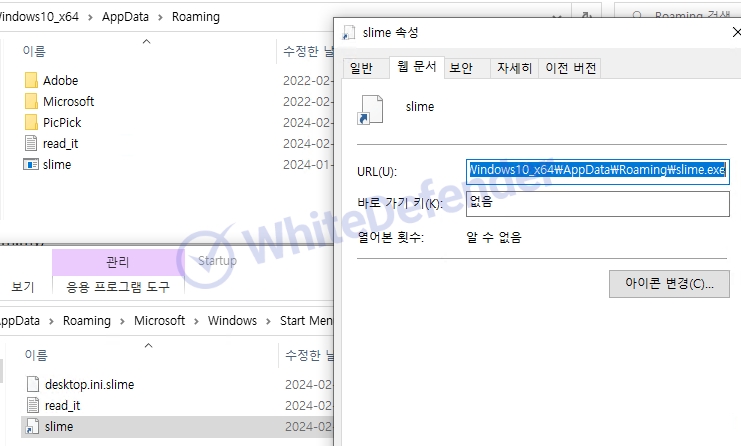
Figure 3. Ransomware link file created in the startup folder
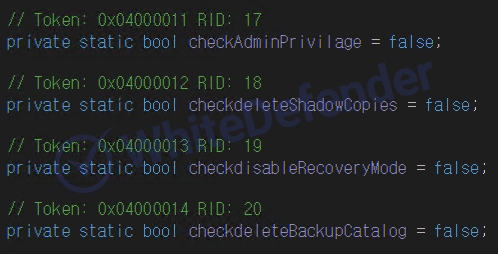
Figure 4. Dynamic code that creates a ransomware execution link in the startup folder.
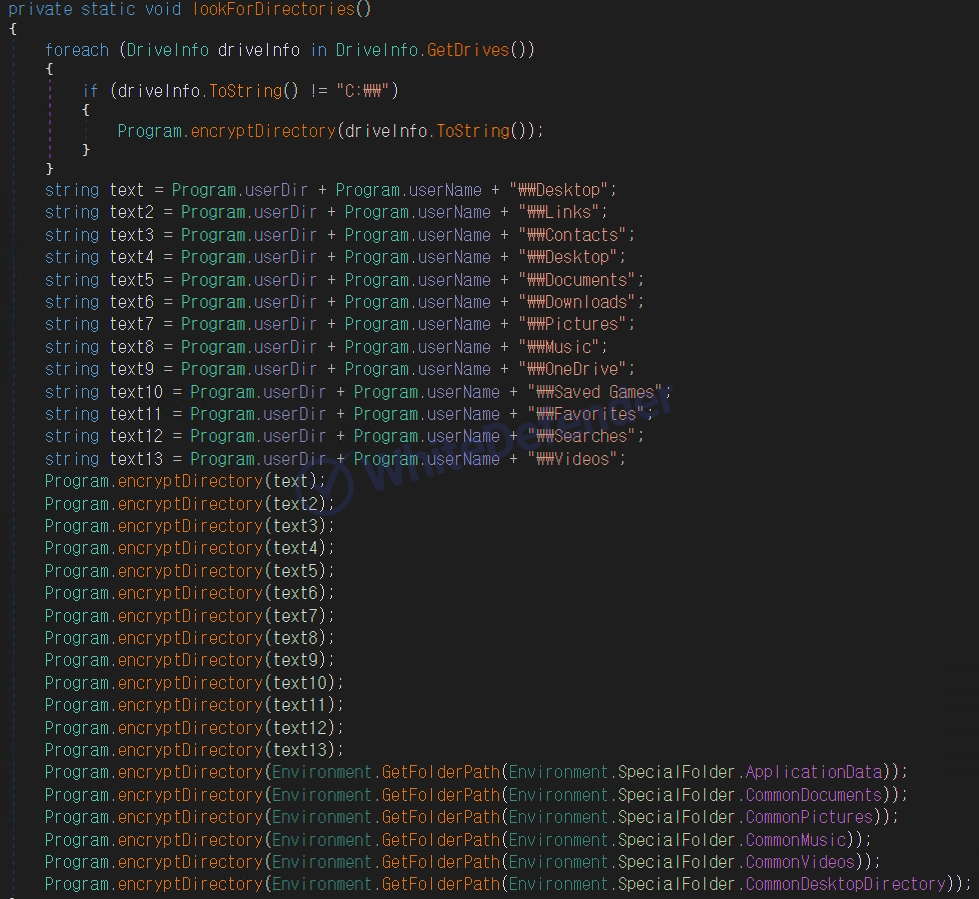
Figure 5. Dynamic code that creates a ransomware execution link in the startup folder.
3. Ransomware Infection Results
When a ransomware infection occurs, encryption is performed, a ransom note is generated, and the extensions of each encrypted file are changed, rendering them unusable.
- Files, such as major documents and images, are encrypted with the .slime extension and become unusable.
- Create read_it.txt ransom note
- Access denied due to user data encryption
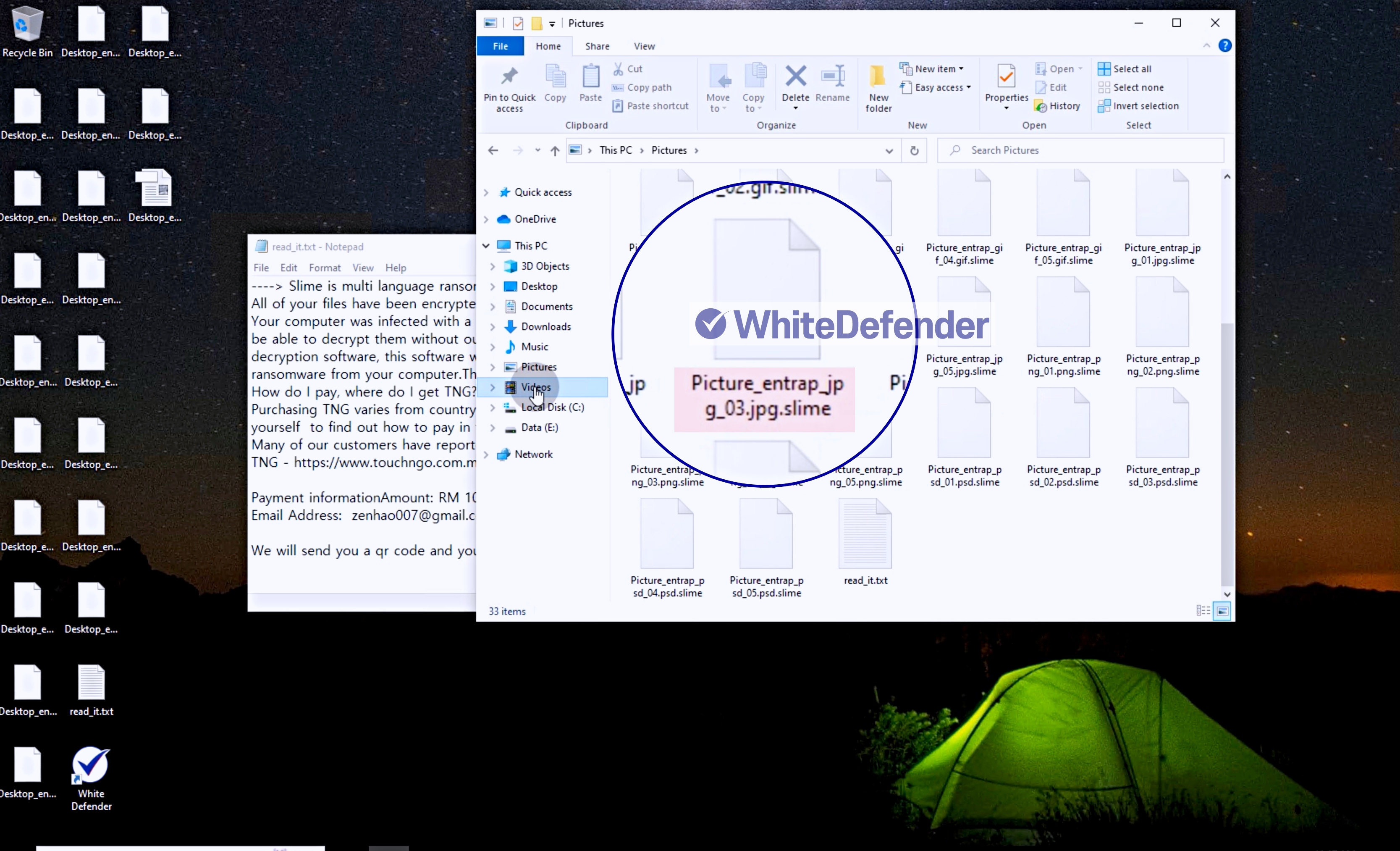
Figure 6. Example of encrypted file extension (.slime) changed after ransomware infection
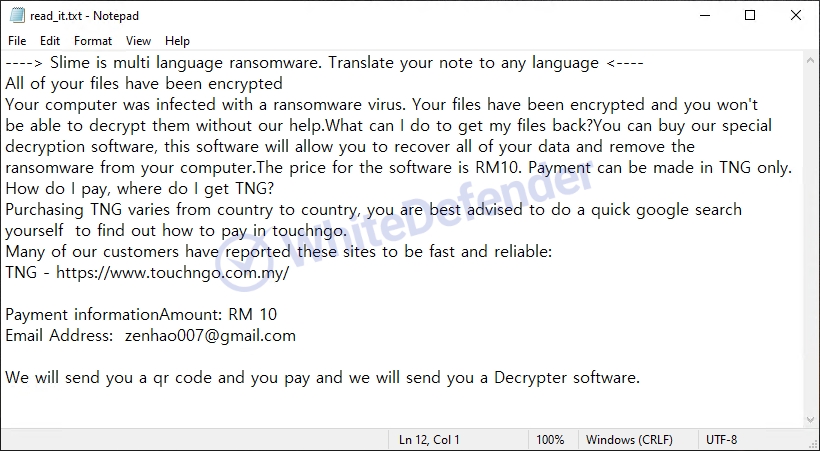
Figure 7. Slime Ransomware Infection Note
4. WhiteDefender Support
WhiteDefender supports real-time automatic restoration of files that would otherwise be encrypted before the ransomware malicious activities are blocked.
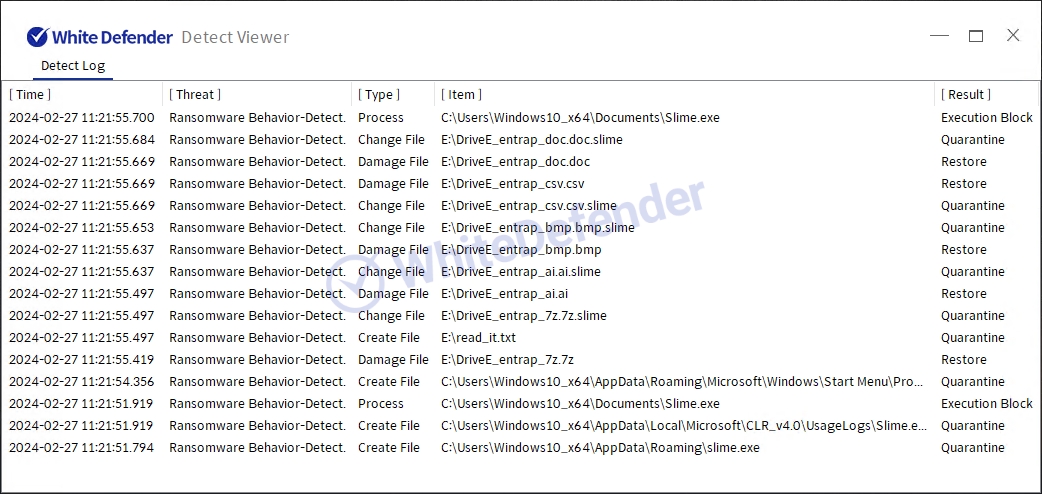
Figure 8. WhiteDefender Detect Viewer Detection Logs: Ransomware Behavior-Detect Detection and Execution Block / Quarantine / Restore Records
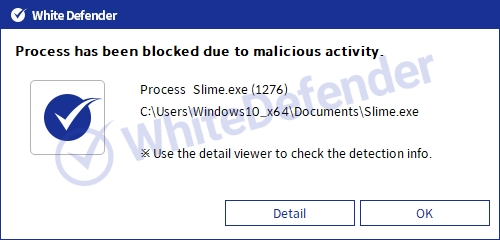
Figure 9. WhiteDefender Blocking Notification Popup: Process has been blocked due to malicious activity (Slime.exe)

- Previous post
- BuLock Ransomware
- next post
- Vgod Ransomware
