
Ransomware Report
You can check the latest ransomware information.
- title
- Sepsis Ransomware
- Registration date
- 2026-06-23
- views
- 2522
Sepsis Ransomware Analysis (WhiteDefender)
1. Overview
Sepsis ransomware runs on Windows systems, encrypts important file data, and changes the file extension to filename.extension.[Sepsis@protonmail.com].SEPSIS . As the infection progresses, it creates an mshta.exe ransom note in all of the user's file data areas and encrypts all extensions to induce the user to immediately realize that they have been infected.
Ransomware Information Summary
| item | detail |
|---|---|
| Ransomware names | Sepsis |
| Changed extension | Filename.Extension.[Sepsis@protonmail.com].SEPSIS |
| Ransom note | mshta.exe |
| Attacker Contact (Based on Note) | Sepsis@protonmail.com |
Sample identifier
| item | detail |
|---|---|
| Size | 16.50 KB |
| Type | PE32 executable (GUI) Intel 80386, for MS Windows |
| MD5 | 1221ac9d607af73c65fd6c62bec3d249 |
| SHA1 | 518d5a0a8025147b9e29821bccdaf3b42c0d01db |
| SHA256 | 3c7d9ecd35b21a2a8fac7cce4fdb3e11c1950d5a02a0c0b369f4082acf00bf9a |
| SHA512 | a821976cc3a186d2af5ab0639b7acc64829c77ea21b42d0e1c9cd9c92f556672d6666ca66623eac16b8f092c7959c8922a2627273be4f0615107757640ca6b60 |
| CRC32 | 03890790 |
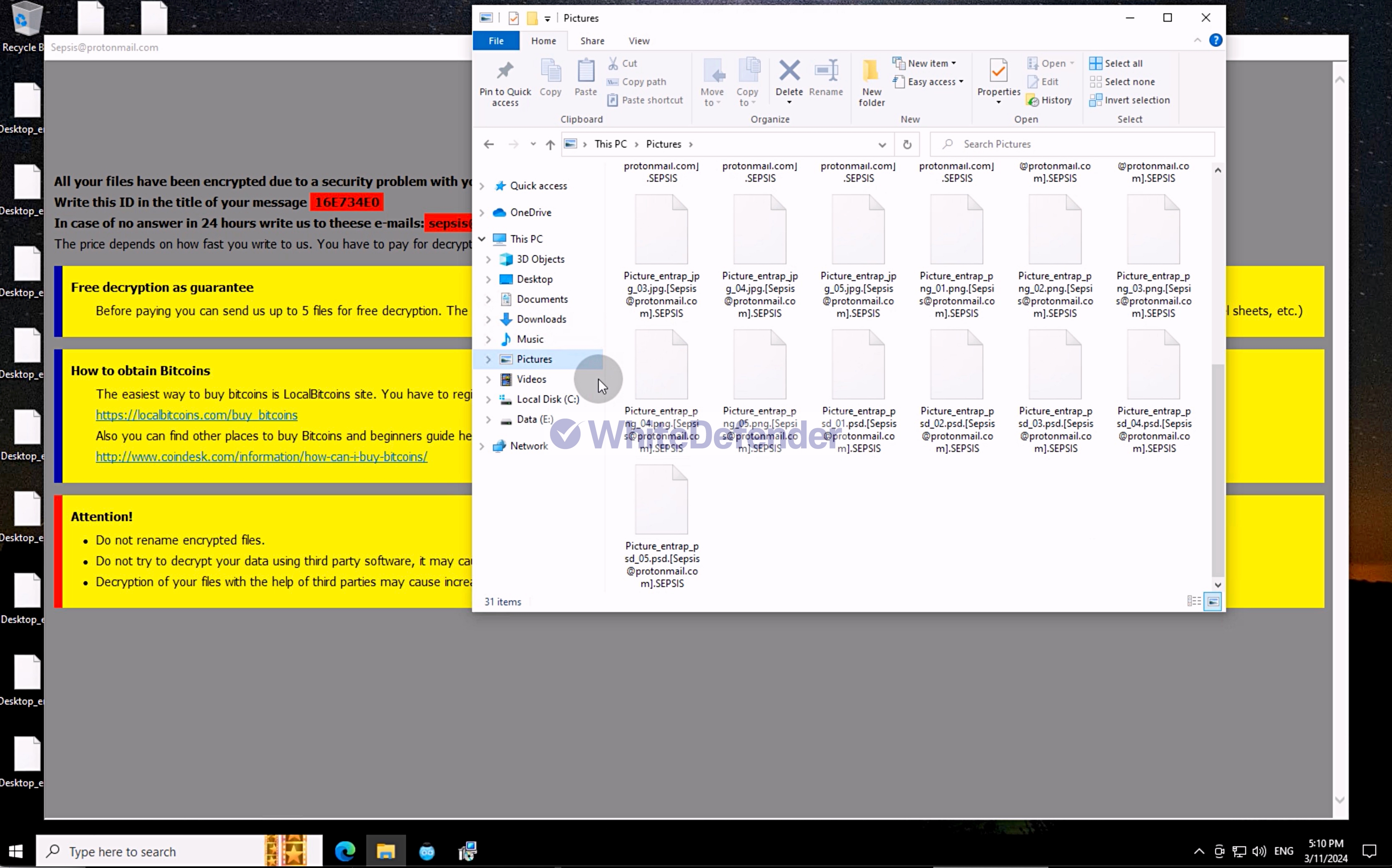
Figure 1. Encrypted file after Sepsis infection
2. Characteristics of Ransomware Operation
Sepsis ransomware is developed based on C++ and, upon execution, copies its own file to the Windows folder under the name svchost.exe and then re-executes the file. Subsequently , it registers itself in the Winlogon registry area, which runs automatically during the Windows logon process, to ensure persistence so that it can continue to run even after a system reboot.
Prior to encryption, it performs actions that hinder recovery, such as deleting Volume Shadow Copies, disabling Windows System Restore, and disabling application error notifications . By doing so, it minimizes the possibility of user data recovery before proceeding with file encryption, and after encryption is complete, it makes normal recovery procedures difficult to maximize damage.

Figure 2. Content of dynamic code that copies the ransomware executable file from the initial execution location to the Windows folder and re-executes it.
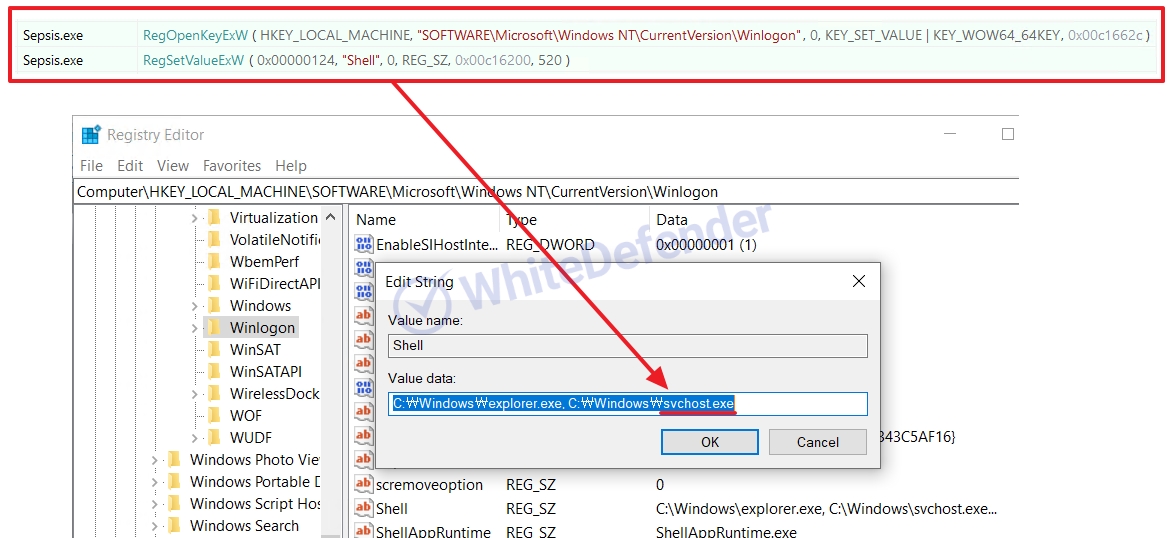
Figure 3. Registry modification section during dynamic execution and applied registry values
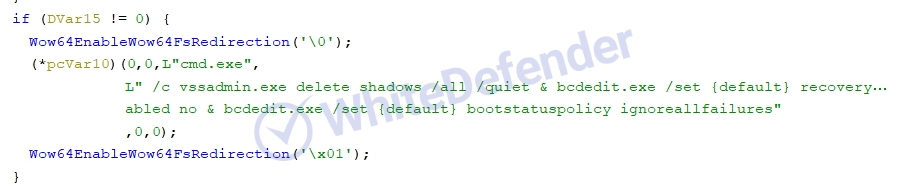
Figure 4. Internal static code that deletes shadow copies and disables Windows restore and execution error notification functions.
3. Ransomware Infection Results
When a ransomware infection occurs, encryption is performed, a ransom note is generated, and the extensions of each encrypted file are changed, rendering them unusable.
- Files such as major documents and images are encrypted with the extension filename.extension.[Sepsis@protonmail.com].SEPSIS and switched to an unusable state.
- mshta.exe ransom note generation
- Access denied due to user data encryption
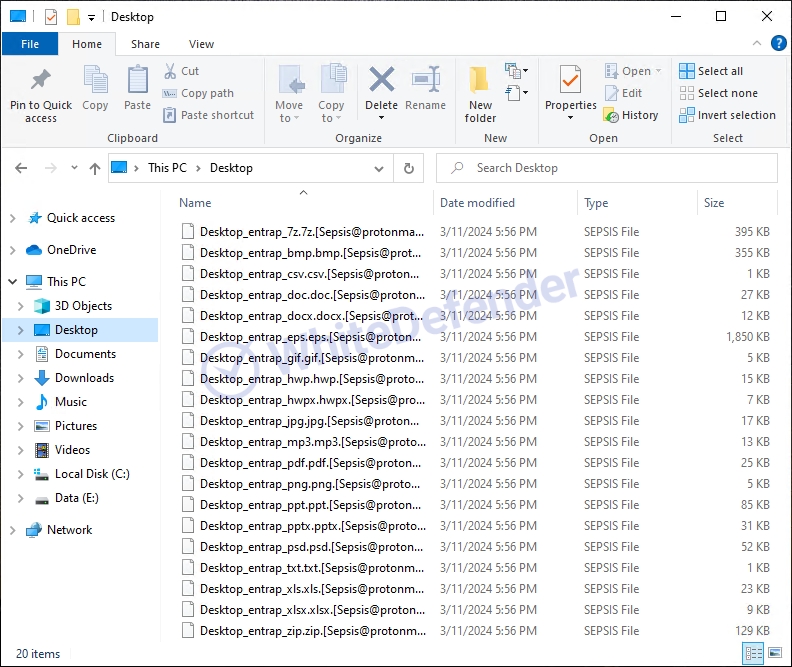
Figure 5. Example of encrypted file extension [Sepsis@protonmail.com].SEPSIS changed after ransomware infection
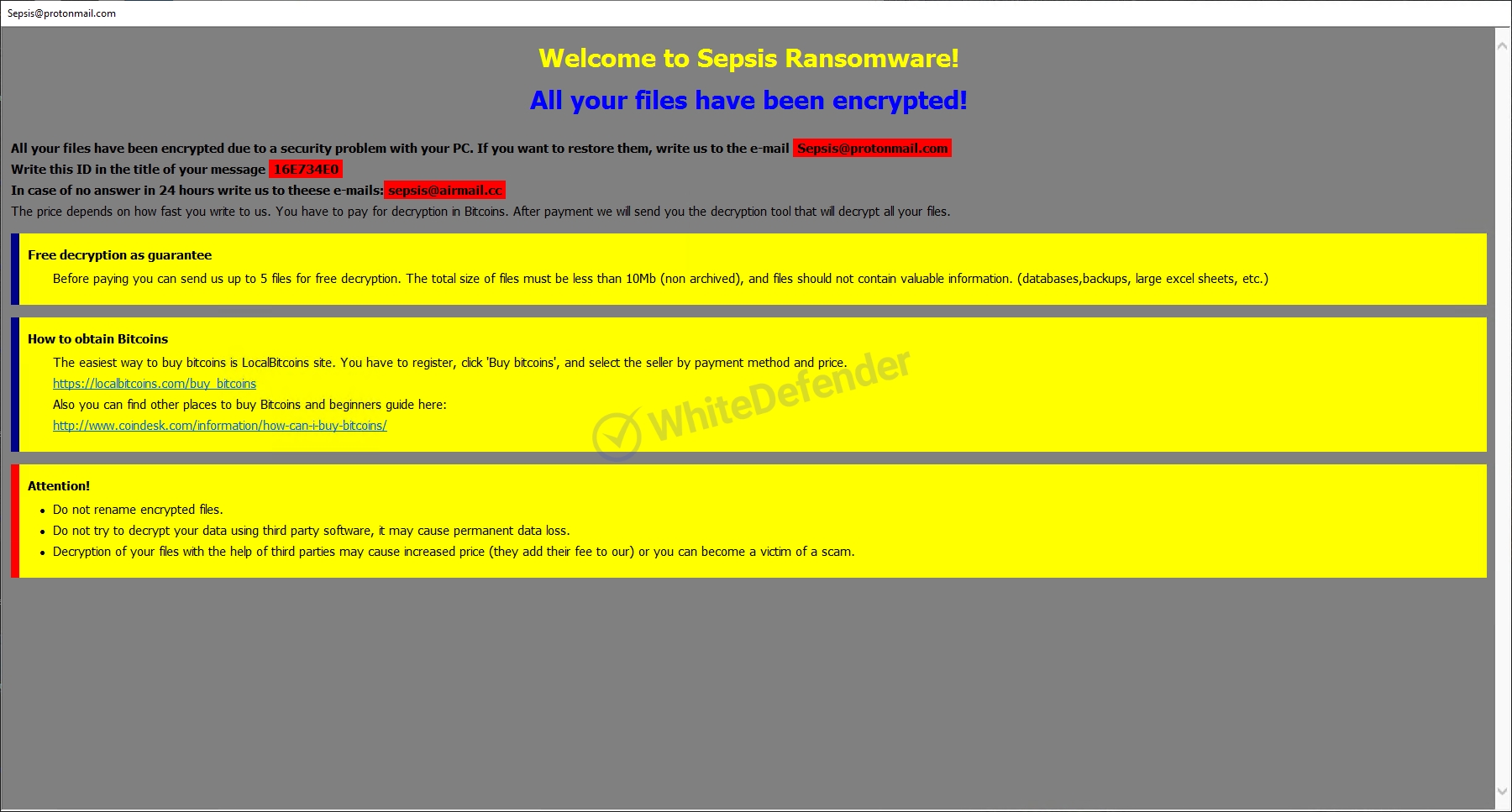
Figure 6. Desktop changed after ransomware infection
4. WhiteDefender Support
WhiteDefender supports real-time automatic restoration of files that would otherwise be encrypted before the ransomware's malicious activities are blocked.
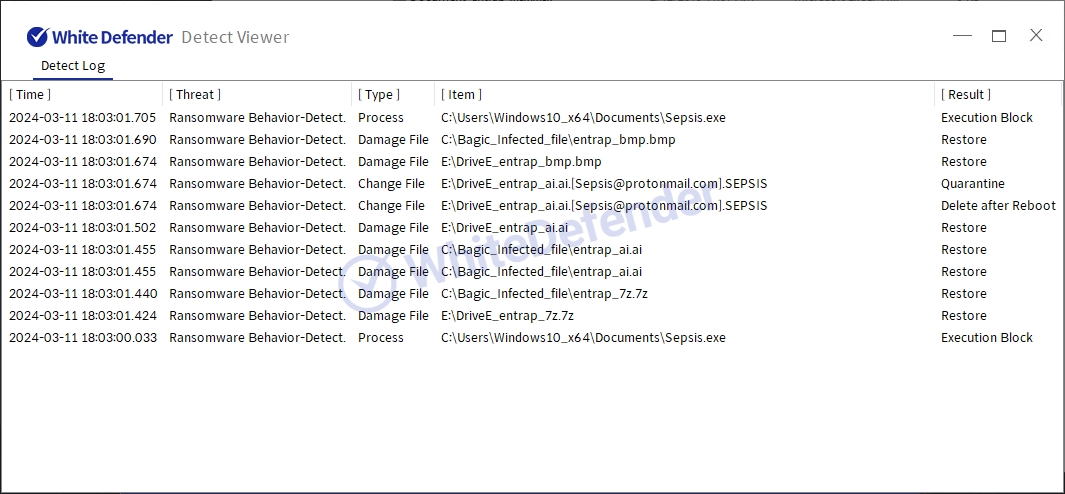
Figure 7. WhiteDefender Detect Viewer Detection Logs: Ransomware Behavior-Detect Detection and Execution Block / Quarantine / Restore Records
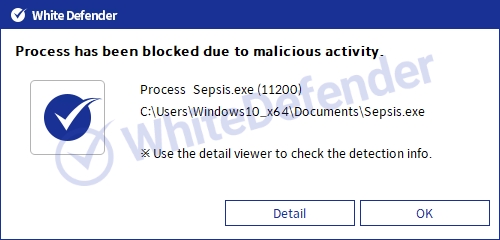
Figure 8. WhiteDefender Blocking Notification Popup: Process has been blocked due to malicious activity (Sepsis.exe)

- Previous post
- MadCat Ransomware
- next post
- BuLock Ransomware
