
Ransomware Report
You can check the latest ransomware information.
- title
- MadCat Ransomware
- Registration date
- 2026-07-13
- views
- 2537
MadCat Ransomware Analysis (WhiteDefender)
1. Overview
MadCat ransomware is a C# .NET-based file encryption ransomware that operates on Windows environments. Upon infection, it encrypts user data, appends a random 4-digit extension to the end of filenames, and creates a HACKED.TXT ransom note to demand payment from the victim for decryption.
Ransomware Information Summary
| item | detail |
|---|---|
| Ransomware names | MadCat |
| Changed extension | filename.extension.individual random 4 digits |
| ransom note | HACKED.TXT |
| Attacker Contact (Based on Note) | Telegram @WhiteVendor |
Sample identifier
| item | detail |
|---|---|
| Size | 442.00 KB |
| Type | PE32 executable (GUI) Intel 80386 Mono/.Net assembly, for MS Windows |
| MD5 | cc7490433d390dc919c20ed4a88155e2 |
| SHA1 | 5cb9e9390015759fa10321f71c5d164f5152da04 |
| SHA256 | cf5705942d02b4585d0ee603e8773d888937e0f4221d38ea9404356a1d906392 |
| SHA512 | 5d1a96f35213895c0a17CqMQFeuB3NTzJ2X28tfRmWaPyPQgvoHV02ac9c12f68915ca954b5d990c8bad54c1efecc9ec0df3662b8b3534a2788e247237310abcc37653f72 |
| CRC32 | 34db9552 |
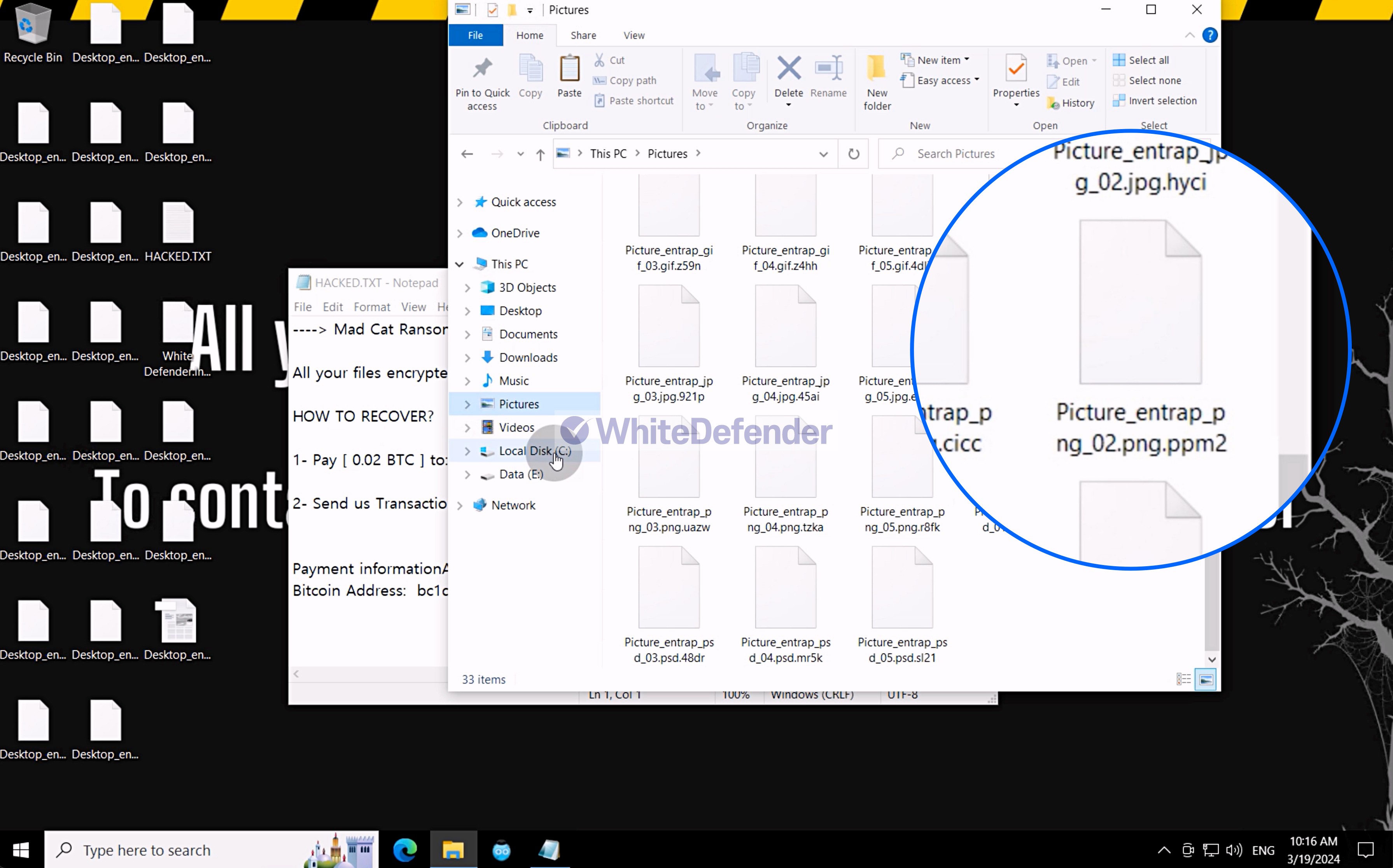
Figure 1. Encrypted file after MadCat infection
2. Characteristics of Ransomware Operation
MadCat ransomware is a C# .NET-based Chaos-family ransomware that, upon execution, deletes Volume Shadow Copy and Windows Server Backup Catalog , and disables Windows System Restore and application error notification functions, making it difficult to recover user data.
In addition , it interferes with the user's process termination and response by blocking the execution of Task Manager through changes to policy settings in the Windows registry . Similar to the general behavior of Chaos-family ransomware, it copies its executable file to the %AppData%\Roaming path and re-executes it from that location, and creates an execution shortcut in the Startup folder to ensure persistence so that it can run automatically even after a system reboot.
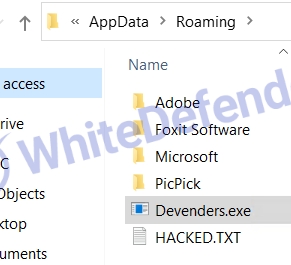
Figure 2. Ransomware copied to the Roaming folder
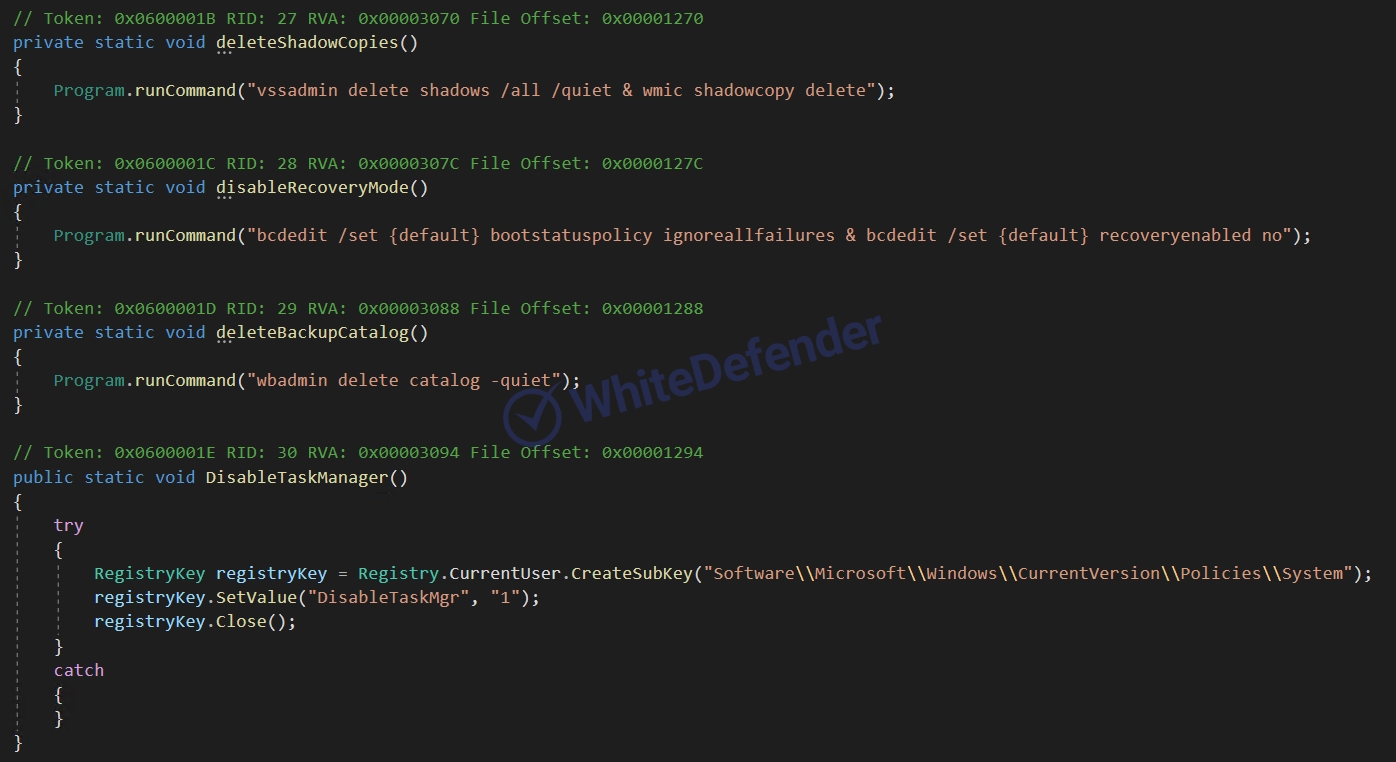
Figure 3. Additional Task Manager disabling for deleting shadow copies, Windows recovery, and disabling execution error notifications
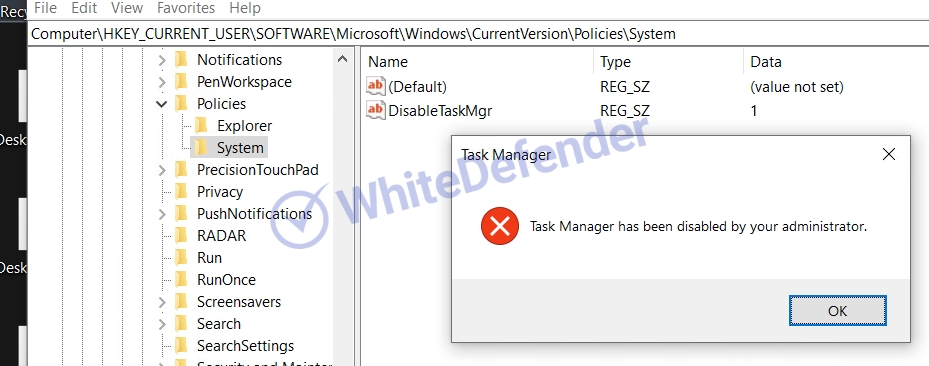
Figure 4. Error when running Task Manager and registry value added to Windows policy settings in the registry
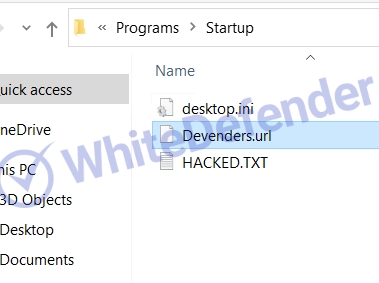
Figure 5. Ransomware shortcut (URL) added to the startup folder
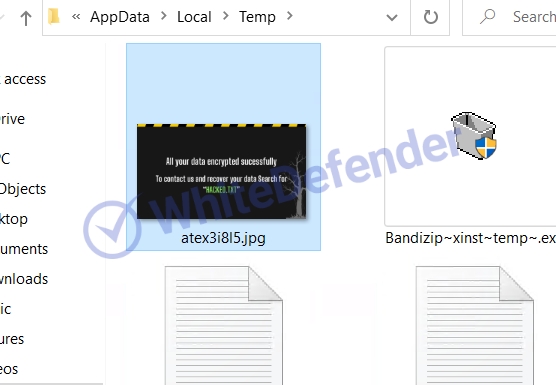
Figure 6. Desktop image created in the temporary folder
3. Ransomware Infection Results
When a ransomware infection occurs, encryption takes place, a ransom note is generated, and the extensions of each encrypted file are changed, rendering them unusable.
- Key document and image file data is encrypted as filename.extension.individual 4-digit extension and switched to an unusable state.
- HACKED.TXT ransom note generated
- Access denied due to user data encryption

Figure 7. Desktop changed after ransomware infection
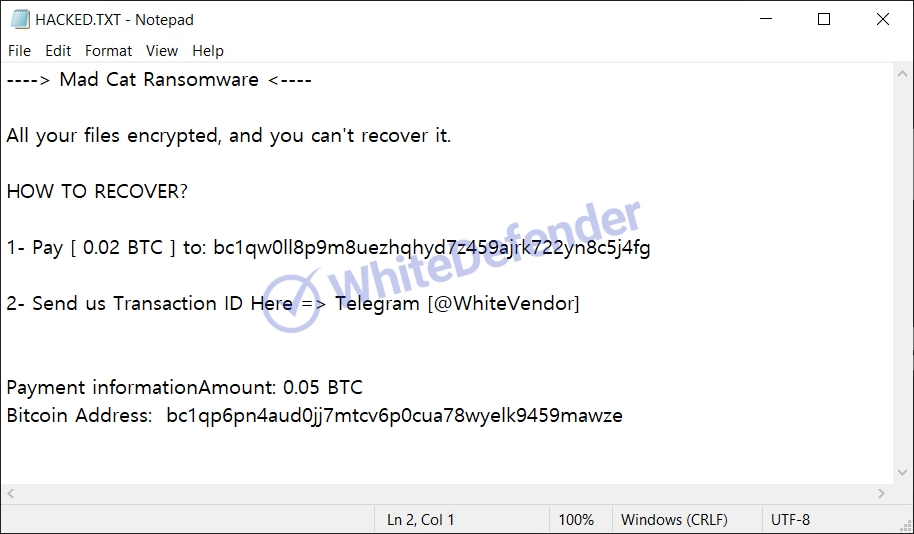
Figure 8. Ransom Note Screen
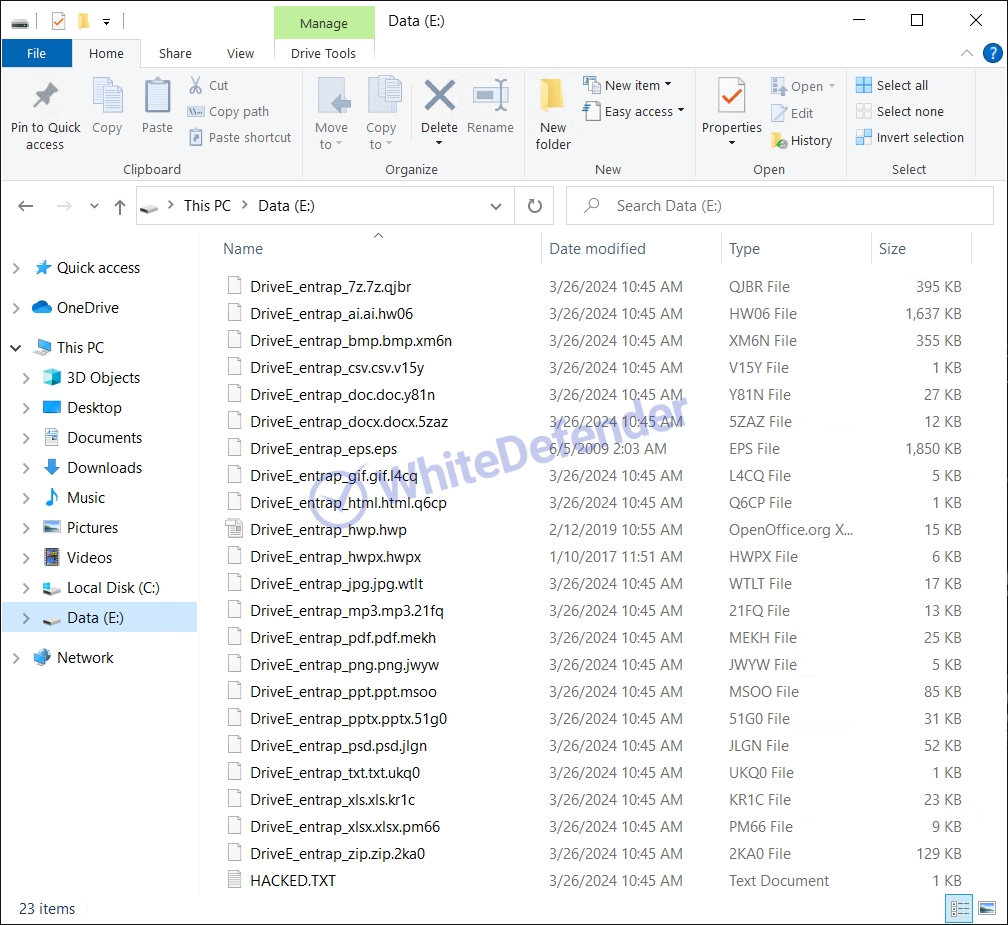
Figure 9. Ransomware Infection Results
4. WhiteDefender Support
WhiteDefender supports real-time automatic restoration of files that would otherwise be encrypted before the ransomware's malicious activities are blocked.
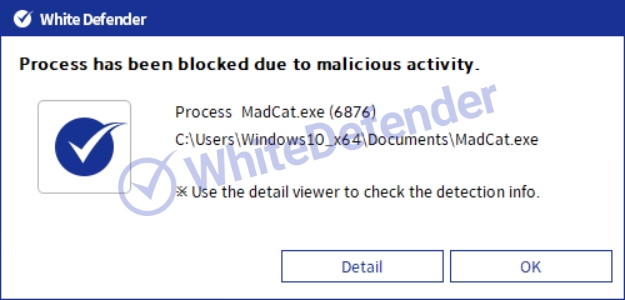
Figure 10. WhiteDefender Blocking Notification Popup: Process has been blocked due to malicious activity (MadCat.exe)_1
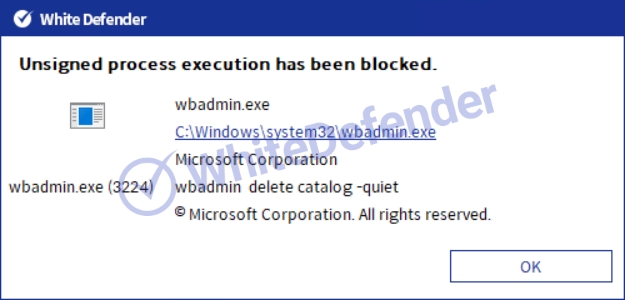
Figure 11. WhiteDefender Blocking Notification Popup: Process has been blocked due to malicious activity (MadCat.exe)_2
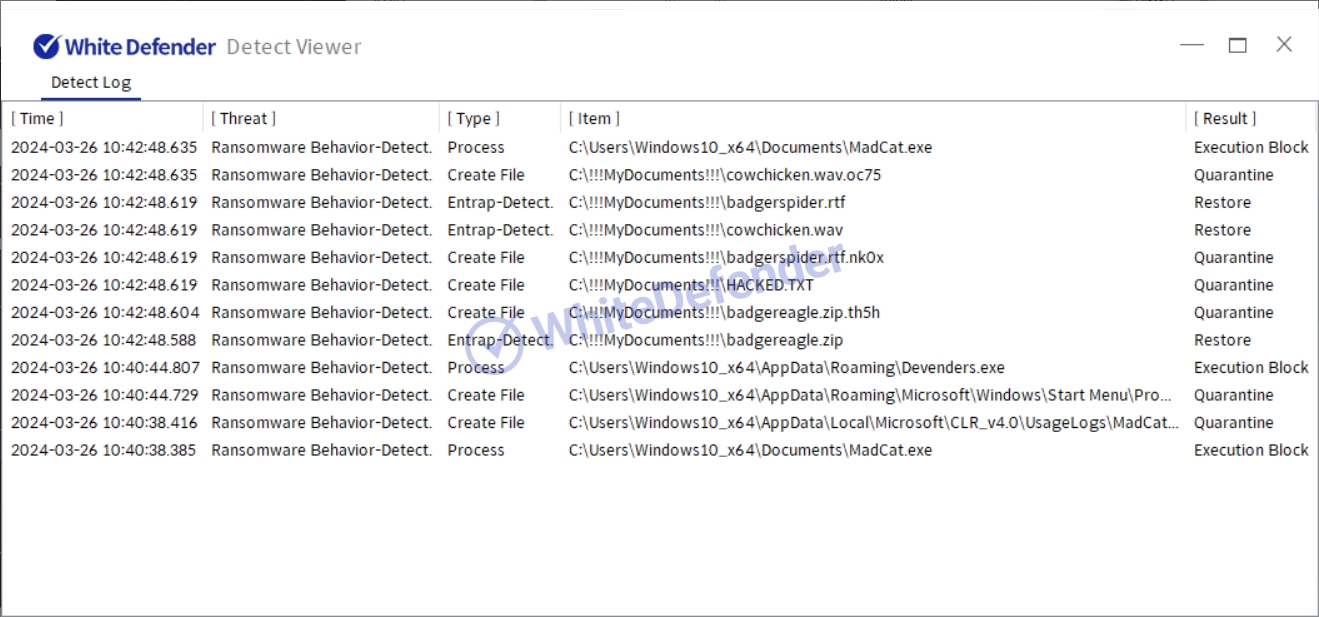
Figure 12. WhiteDefender Detect Viewer Detection Log: Ransomware Behavior-Detect Detection and Execution Block / Quarantine / Restore Records
- next post
- Sepsis Ransomware
